Index:


Projects

This section has info on (some) of the random projects that I am working on…

I am working on a bunch of projects that I haven’t gotten around to documenting yet, but hopefully will soon.


Here is a partial list – some of these have some preliminary info, but no full write-up yet:

  • Home made CNC stepper motor based milling machine.
  • FPGA based password cracker.
  • Lightwave Electronics 25W green Nd:YAD diode laser.
  • OS X Iris Recognition security module.
  • OS X Fingerprint reader toolkit.
  • E-passport hacking.
  • Hacking scratch off lottery tickets using optical means.
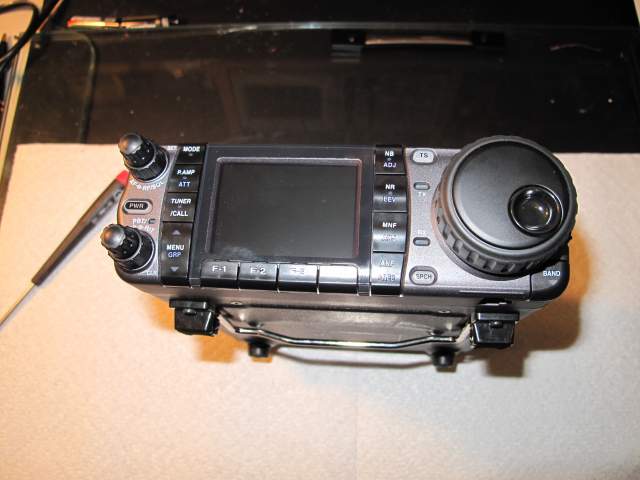
  • Adding TV support to an ICOM IC-7000

    Adding TV support to an ICOM IC-7000

    The ICOM IC7000 is a great little HF/VHF/UHF transceiver. It has many of the features of my IC7800, but in a smaller, easier to use form factor.


    It also has an undocumented feature that the IC7800 doesn’t — it’s a portable TV set!

    Unfortunately, now that TV has moved to digital this doesn’t really accomplish anything, but, well, I figured I might as well enable it anyway.

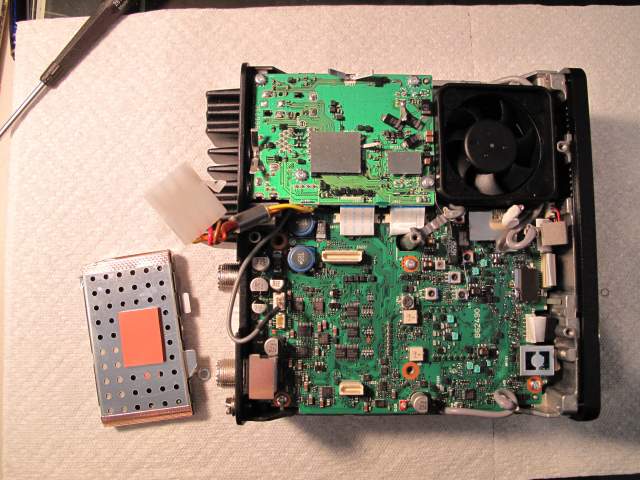
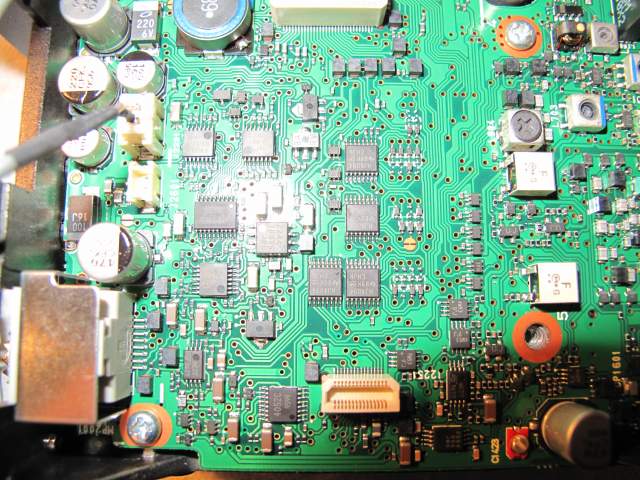
    Here are some photos from the hack.


    img_0417

    Front view of IC7000

    img_0421

    Inside view with DSP (the silver, shielded box) removed.


    img_0422

    Closeup of the board.

    The solder jumper is just to the right of the image.  It comes pre-bridged, I carefully scraped off the trace with an xacto knife.

  • Amateur Extra license.

    So I have been a ham operator since 1997. I recently decided to upgrade from Technician to Amateur Extra, so I read though some of the online stuff and took a practice test or two. I went along to the local hamfest and discovered that I had to take the General exam before being allowed to take the Amateur Extra exam. I hadn’t studied for the General license at all and failed miserably Smile. The following weekend I traveled to Stockholm for IETF75 which gave me a few uninterrupted hours on the plane to read through the General material as well. I got back to VA late on Saturday and went to the West Friendship, MD hamfest on Sunday morning. I wasn’t expecting there to be quite so many people taking the exam so I didn’t arrive as early as I should have. I took the General Exam and waited for what felt like hours while to was graded. I passed that and thanks to some quick grading by the Laurel VEC team I managed to take and pass the Extra class exam in the last 15 minutes before they closed.


    So, I am now a licensed Amateur Extra and have applied for a new callsign, which looks like to will be approved, so I will probably be changing from KC2BOB to AC4WK.


  • FPGA based POCSAG decoder

    FPGA based POCSAG decoder

    While going through some old electronics I found a pager that I wasn’t using any more and I decided that it would be interesting to see if there was still any data being transmitted on the pager networks — I also decided that a pager would make a really good remote receiver for things like home automation. They are fairly cheap, get reasonable reception in most places and (internally at least) have a digital signal.


    I popped it open and looked around to see if I could find a decoded digital signal, but it looks like there is basically an RF section that feeds a single processor that does of decoding, checking for address match, etc. I briefly considered trying to find a JTAG type interface, pull the firmware, disassemble it, etc but that sounded like way more scrummaging and groveling than I wanted to do. I decided to instead just read the output of the FSK IF detector and implement the FLEX or POCSAG in software — this would allow me much greater flexibility in the future as I could create my own network, watch messages (obviously only ones that I sent, reading messages for other folks is illegal), etc. Initially I figured I could just hook a microprocessor to the output of the FSK IF detector (a Toshiba TA31149FNG) and bit-bang the input. After reading the TA31149 data-sheet I discovered that it is a 4-level FSK and not a 2-level FSK. While I could still do this with a microprocessor I decided that the timing might become a little hairy, so I decided to take the 2-bit output of the 4-level FSK and use an FPGA to convert it to a RS-232.


    I have some of the really nice Pluto-II FPGA development boards from www.knjn.com — they have an Altera’s Cyclone EP1C3T100 and a 1Mbits FPGA boot-PROM. They also are programmable through a serial port and Altera has a free set of development tools. After some poking I managed to implement a very simple phase locked loop in the FPGA that takes the 2-bit output, removes some noise (the FPGA liked to clock on the overshoot, noise, etc), collect 4 samples (2 bits per sample) and then output TTL level RS-232 which I can then do more decoding with later.

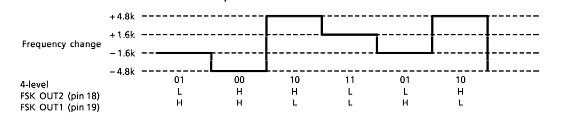
    Here is the FSK freqency shift to 2-bit output diagram:

    fsk_output


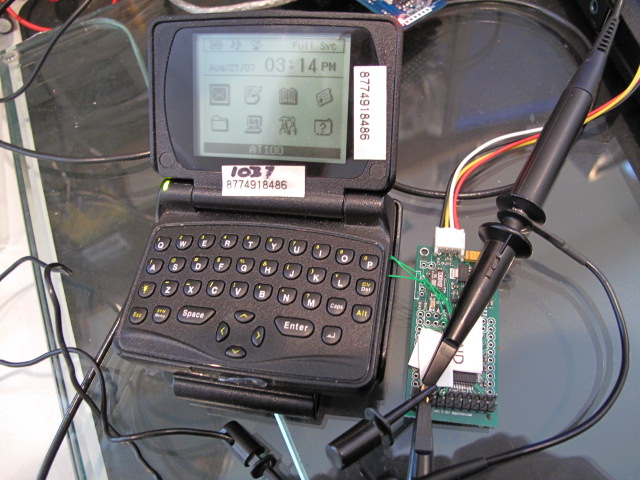
    And the pager hooked up to the FPGA board and oscilloscope. The black, yellow, white and red wires are power and RS-232:


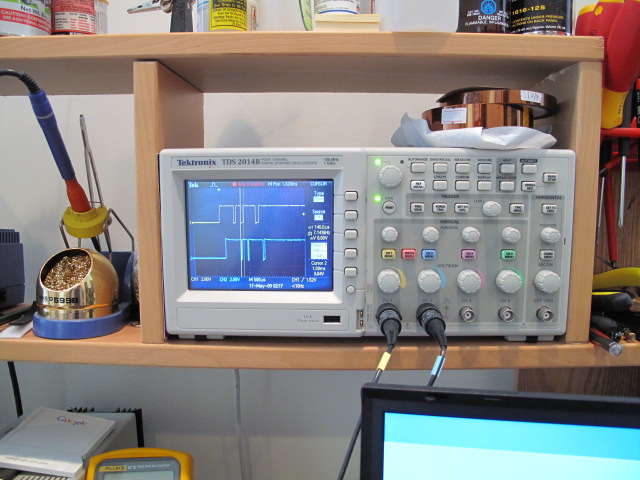
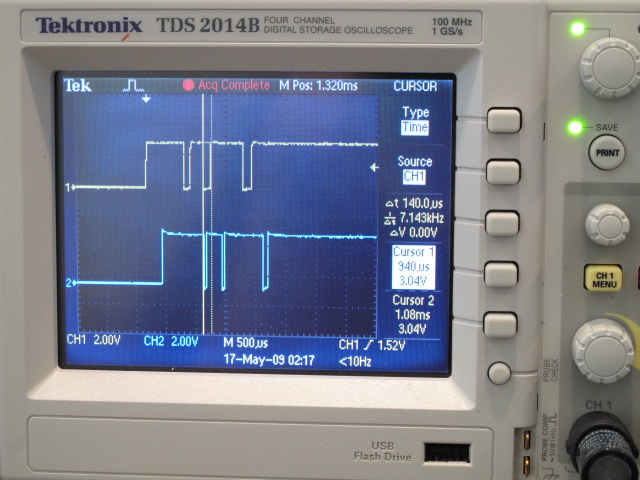
    The scope showing the output from the FSK IF decoder (yellow, input to the FPGA) and the associated FPGA output (blue):

    img_0096


    img_0097


    If I get a chance I’ll post the Verilog source and some serial output from the FGPA. Once I get around to cleaning it up I’ll also post the POCSAG decode source.


  • Airview spectrum analyzer

    Airview spectrum analyzer

    So, I have always been interested in RF stuff and testing tools, especially things like spectrum anaylzers and the like. I have a really nice DC to daylight (well, DC to 7.2Ghz) Anritsu and a large collection of WiFi testers, including a nice Fluke.

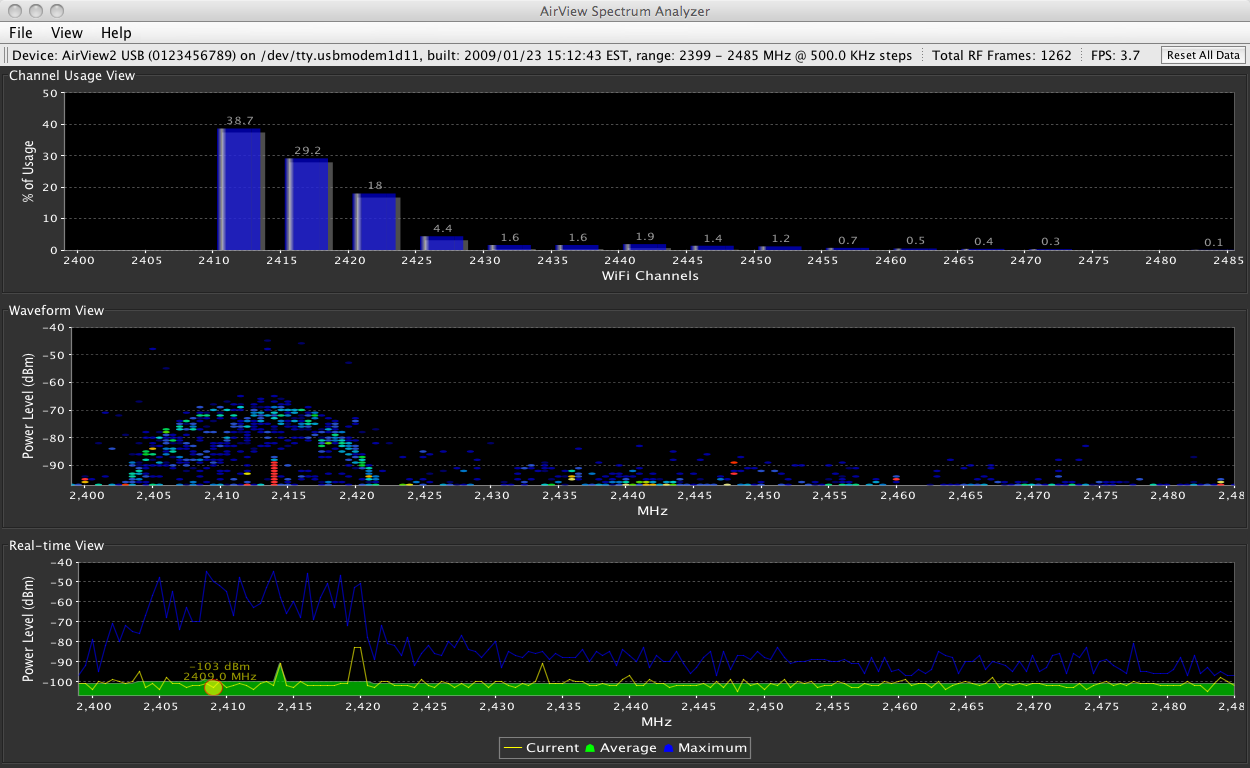
    I have been looking at some of the USB based WiFi spectrum analyzers, like the ones at ThinkGeek. I wsaw a post on NANOG recommending some outdoor access-points from Ubiquiti Networks and went to go look at their website. As well as some really really interesting outdoor APs that I haven’t tried yet, I saw a ridiculously cheap 2.4Ghz USB spectrum analyzer called the AirView-2-EXT .


    I bought one, fully expecting it to kind of suck and only run under Windows, but once it arrived and I went to download the software I saw  that they have a Mac version too. The device works great (although the software could be a bit more featured and export stats, etc) and I am really really happy with it. I’m planning on buying some of the APs to test (like an external antenna mounted AP for <$40!)…


    airview-screen

  • Yaesu VX-8R SmartSearch

    Yaesu VX-8R SmartSearch

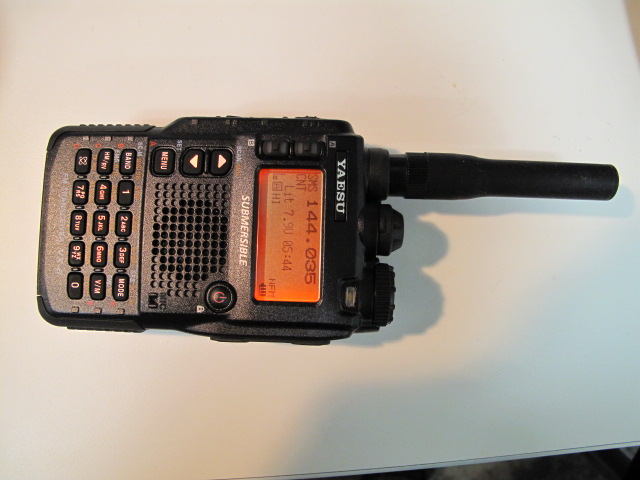
    So, I recently got a Yaesu VX-8R transceinver — it is really quite cool, and has all sorts of cool menu options, etc. One of the nice features is built in GPS (well, a GPS that attaches to either the speaker-mic or a special adapter that connects to the mic connector) and bluetooth.


    img_0080


    Of course, one of the first things I did when I got it was crack it open and perform the extended TX mod. Only after I did this did I discover that the Smart Search functionality didn’t work… I figured that the mod might have made it all grumpy, so I reversed the mod, tried again, reset the unit to factory defaults, etc — all to no avail.


    The instrustion manual says:

    • put the unit in “Mono” receive mode (it won’t work in Dual receive)
    • hold down the MODE button and turn the knob to select SMART SEARCH
    • release the MODE button.

    and then the radio is supposed to go off and automagically search for signals and program memories.


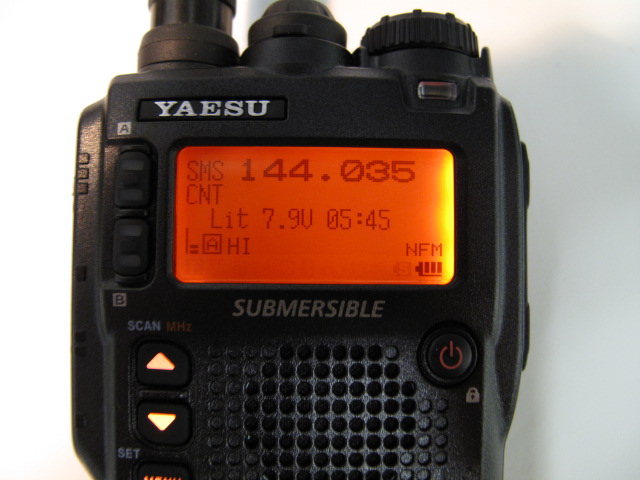
    Instead what would happen is that it would just sit there, displaying something like this

    img_0081


    After much poking, prodding, etc I finally gave in an email tech support… Turns out that the manual is incorrect (actually, I think that they just cut and pasted from an earlier model) and that you have to press 9and hold) the BAND button to actualyl start the SmartSearch function. Unfortunatly the online manual still hasn’t been updated and this info in not in the FAQ. Oh well, now you know…


  • Geiger counter based RNG

    Geiger counter based RNG

    Whenever you read a (good) cryptography book they discuss the difficulty in generating truly random numbers. The standard “random” numbers thay you get from things like the C rand() function is actually a psudo-random number — it is deterministically generated by applying a function (often a hash) to an input seed. The seed usually generated from some external source, such as the interval between packets arriving on the Ethernet interface, keyboard timing, etc. The better pusudo-random number generators (PNRG) continue to feed external entropy data into the system to try and increase the randomness of the data.

    While it may be hard to do, lots of cryptography requires very good (unpredicatable) random data — as a recent example, take the recent CVE-2008-0166 vulnerability. The short version (longer, better written version here) is that valgrind (a debugging tool that, amongst other thing, checks to make sure that you are not reading garbage from uninitialized memory) was complaining that OpenSSL was reading some uninitialzed memeory and using that data. Someone got annoyed with the warning and without completly undertanding the function that was doing this, simply commented it out (actually, he did try and figure out the reason, checked with the OpenSSL list, etc), and so stopped valgrind complaining. Unfortunatly, the uninitialized data that valgrind was complaining about was used as entropy to the PRNG function and so the amount of entropy was decreased (and you thought it took work to decrease entropy!). The proctial upshot of this is that the PRNG was no longer as random and SSH keys generated form this ended up being predictable — there were only 32,768 different keys that would be generated. Thils means that you could simply generate all of the possible keys and try them sequentially until the system let you in — and hilarity ensued. The importance of true randomness (and the difficulty in generating it) for various applications even lead the Rand Corporation to publish a book full of randomness — for only USD $90 you too can purchase “A Million Random Digits with 100,000 Normal Deviates


    In order to make the output of your PRNG as random as possible, you should pour more entropy into the pool — there are various hardware devices for doing this, such as thermal noise, avalanche (or Zener breakdown) noise from a diode, shot noise, etc.


    Intel used to make a motherboard chipset (i810) that included a good hardware number generator, but unfortunately have taken this out of newer chipsets. There have been some cute random number generation systems, such as SGI’s lavarnd, which basically involved pointing a webcam at a lava lamp. A similar project (that stole the name) is LavaRnd which uses the chaotic noise from a CCD in darkness, but the ultimate source (and the one that all of hte textbooks use) is radioactive decay.


    While all of the textbooks mention radioactive half-live as a great source of entropy, you don’t often see this implemented — so, this seemed like a fun project to do.


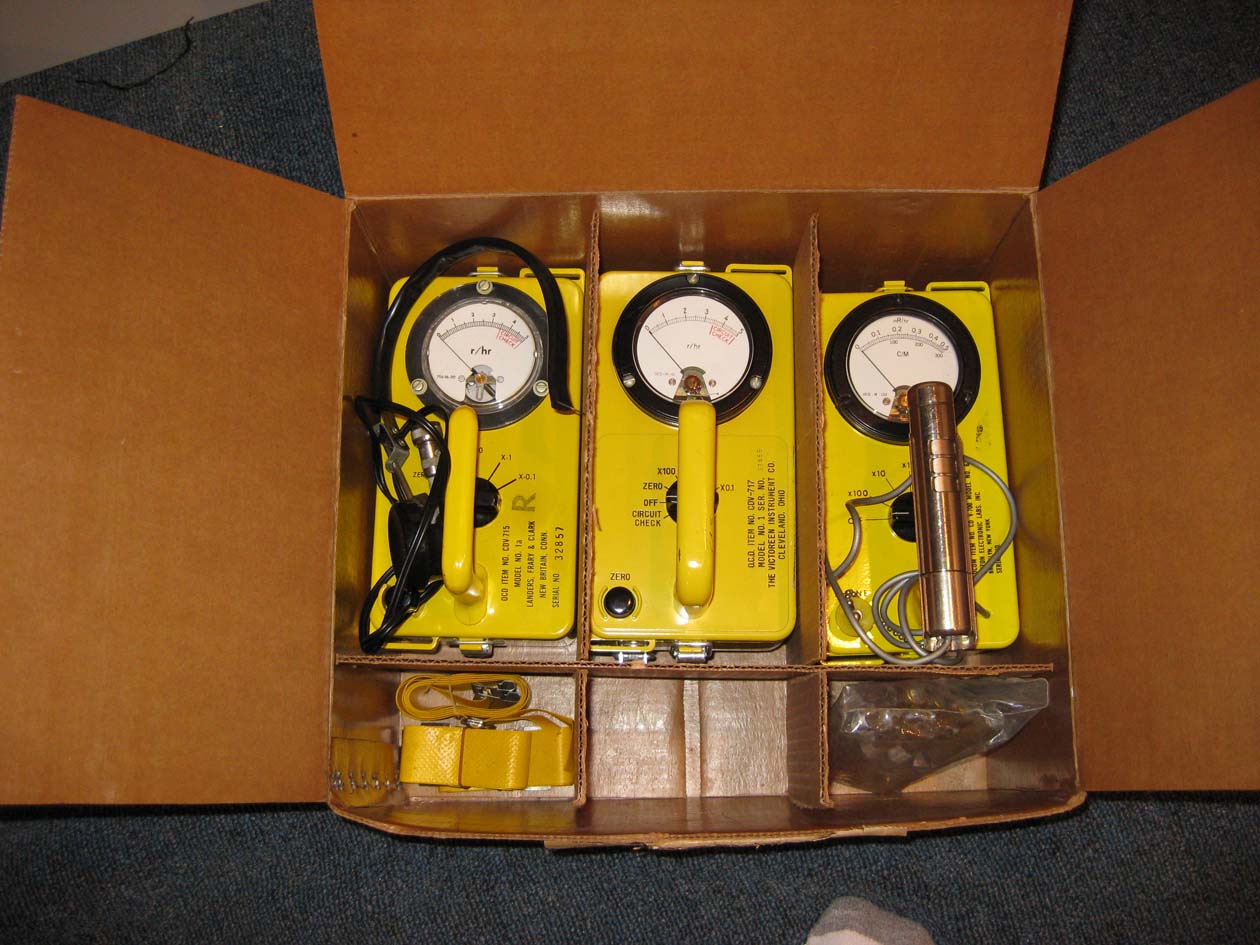
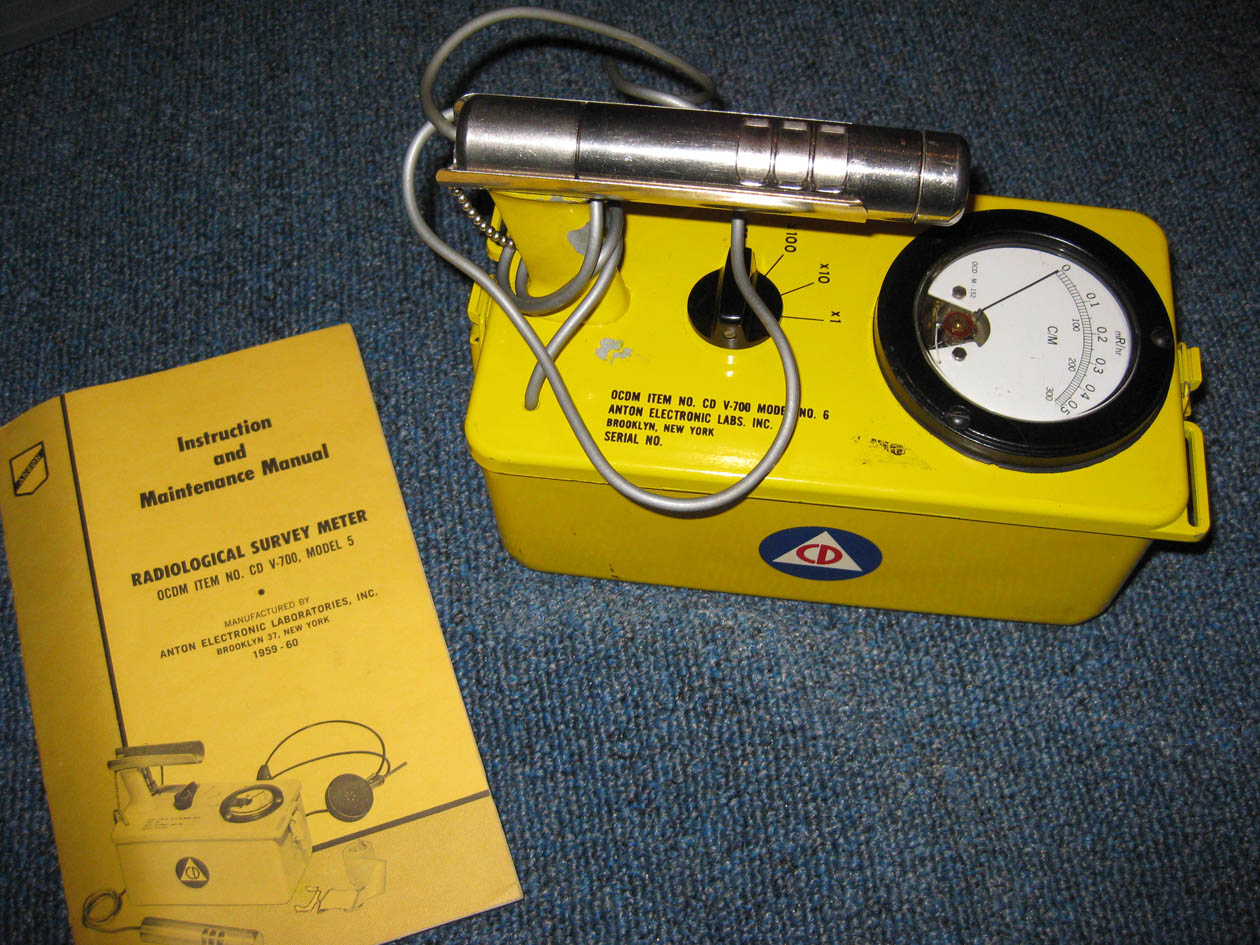
    The basic plan is to take an old Geiger counter and point it at a source of radiation — like the small Americium 241 pellet in an ionising smoke detector. I will then take the (audio) output of the Geiger counter and feed it to an interface that will connect to the serial port on a PC and watch the interval between “clicks”. If the most recent interval is greater than the previous interval I’ll count that as a 1, if less I will count it as a 0, and if equal, I’ll just drop the current interval.


    I have some Gieger counters that were originally designed for civil defence (back during the heady days when Russian nuclear attack was imminent) and just need to design an RS-232 interface. I m currently planning on using an OpAmp as a high impedance amplifier and driving an opto-isolator that will be connected to the CTS pin.
     

    geiger_box


    geiger1


    geiger_sch1

    Oh! No page on PRNGs would be complete without mentioning the Blum Blum Shub PRNG — I don’t have anything useful so say about it, but, with a name like that, how could I NOT mention it?! In fact, I am going to try squirrel away a reference to it on every page  from now on…
  • Determing Unknown Baud Rate

    Determing Unknown Baud Rate

    Often times I end up with some sort of device that has an RS-232 port, but that I don’t have any idea what baud rate it uses, etc. I used to just hook it up to a terminal and try all of the different baud rates while trying to get something intelligible to show up. Unfortunately there are a large number of baud rates to choose from and getting the device to output anything is often tricky, especially if you don’t know the pinout (although a Black Box Clever Cable makes this a little more bearable).


    Eventually I got fed up with this, especially after I just couldn’t find the right parameters for an LG IrisAccess 2200 iris scanner (for which I am still looking for docs) and so I decided that I needed to some up with a better solution, so I took an RS-232 breakout box and soldered on some test-points so I could hook it up to a scope.


    You simply hook up an oscilloscope to the TX pin (just keep guessing till you find it!) and set the scope to trigger on a pulse. You then measure the time of the shortest pulse and take the reciprocal to figure out the baud rate (ok, actually I wrote this page so I would have some place to put the table so I can just look up the answer because typing bc is too hard :-).


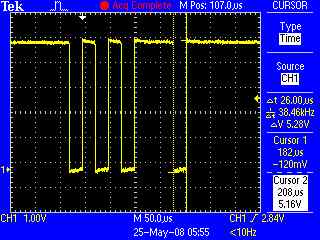
    Here is an example:

    From this we can see that the period of the shortest pulse is 26µs — 1/26µs (1/26*106) = 38461 — round this to the closest real baudrate, 38400, or 34.8k

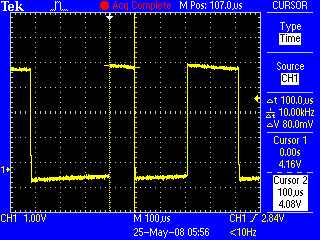
    Another example:

    Here the shortest pule is 100µs — this is 1/100*106 or 10,000bps — this is obviously not a real baud-rate, but it is really close to 9,600bps.

     
    Time Baud Rate
    3333µs (3.3ms) 300
    833µs 1200
    416µs 2400
    208µs 4800
    104µs 9600
    69µs 14400
    52µs 19200
    34µs 28800
    26µs 38400
    17.3µs 57600
    8µs 115200
    4.34µs 230400


    If you are unable to send a break command with your terminal program (to a 9600baud device, like a Cicco switch, etc), this often works…

    Change the baud rate to 1200 baud, N,8,1.  Reboot the device, hold down the space bar for 10 – 15 seconds. Change the baud rate back to 9600. Done.

    A space at 1200 is close enough to a break at 9600 to satisfy most devices.

  • Hacking the Sectera Wireline Terminal

    Hacking the Sectera Wireline Terminal


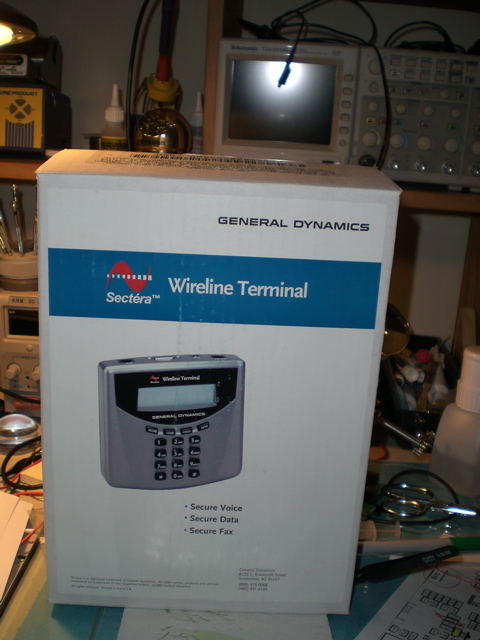
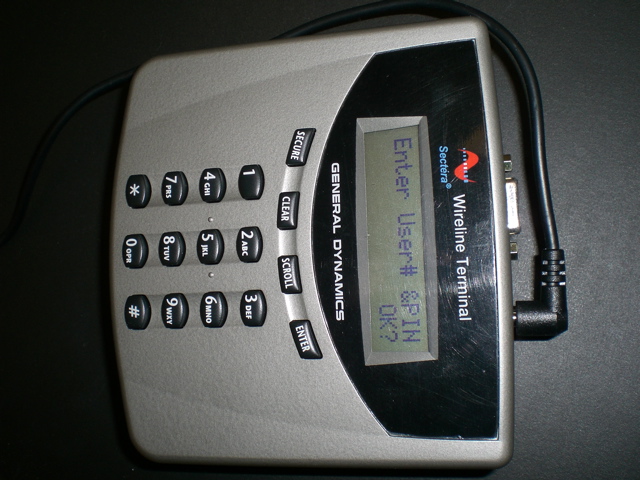
    At a previous employer we evaluated a few of these devices so that executives could make “secure” calls form their homes to the office, but we ended up instead deploying an VoIP over IPSec solution. I ended up with these after the eval and always thought that they were cool, but never did anything with them.

    Their marketing literature is filled with all sorts of exciting phrases like:

    The Sectéra Wireline Terminal is NSA certified to protect information classified Top Secret and below using Type 1 encryption algorithms.
    For users not requiring Type 1 encryption, an interoperable AES solution  is available. The terminal is available with multiple key-sets to
    support U.S. government sponsored interoperability (e.g., NATO and coalition). 

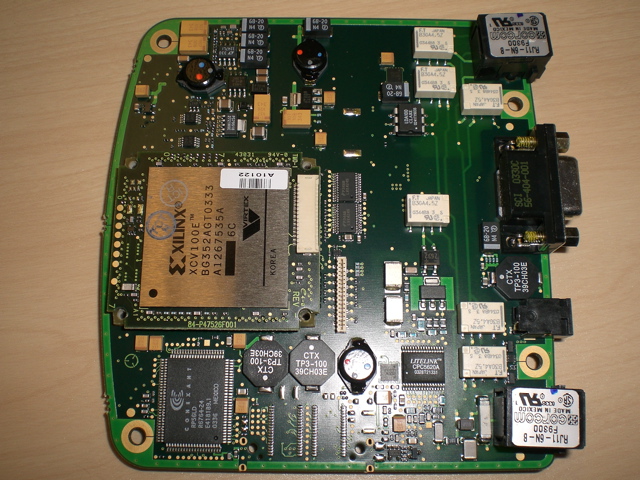
    When I was looking for something with a largish FPGA that I could re-purpose for password cracking I suddenly thought of these again and figured that they probably used an FPGA for the encryption bit, so I decided to open one up and have a look. I assumed that they probably had some sort of cool tricks built in so that opening the case would trip some sort of tamper switch and the device would instantly zero its keystore, or do something else to makes the device inoperable. Seeing as I didn’t really think I’d use if as a voice encryption device anyway and was about to break the warantee sticker I decided to see if I could defeat the tamper switch, so I plugged the device in, generated a new public / private key pair and then very carefully drilled a hole through the back of the case. After much poking around with a probe, careful peering with a fiber scope, etc I decided to just risk it and undo the screws… Turns out that hte devices don’t have any sort of tamper prevention, and it carried on running just fine, with no loss of keying material, etc.


    Sectera SWT after removing (and reinstalling) back.


    The only security for the keystore seems to be the odd mounting bits that the FPGA sits on, but it seems that:

    • that can be easily bypassed
    • there is enough space to install additional circuitry to copy the date stream before encryption and transmit it later
    • the flash is accessible to reprogram it and get it to expose the session keys somehow during call setup
    • all of the FPGA pins are nicely broken out and can be probed with a logic analyzer.

    I intend trying all of the above sometime, but ran out of time. For now here is a picture of the inside of the device with the FPGA visible.


    Link to Xilinx data sheet — its got 128k gates and 81k of block RAM — about perfect to be converted into an MD5 brute-force unit… And there is some poetic justice in converting an encryption device into a crypto breaker 


  • FPGA Based Password Cracking

    Getting users to choose secure passwords is really, really hard… No matter how much you try and impress upon them the fact that both their and the companies security relies upon the passwords they choose, they still insit on choosing something like “chocolate” or “bob”. With enough training, cajoling and threats you can probably train them to get to something like “P@ssw0rd!”, but that seems to be about the best you can hope for.

    One solution to this is to regularly audit users passwords — this basically involves taking the password file (with the encrypted passwords) and performing a modified dictionary attack or just a brute-force attack against the passwords and emailing the users with poor choices.

    There are other reasons that it is sometimes necessary to break passwords — for example I recently ended up with a bunch of Sun Enterprise servers. I mounted the drives under Linux, but wanted to be able to recover the root password so that I could login to the others without having to pull drives, etc.

    Password hashes are specifically designed to be computationally infeasible to brute-force, so I started looking into doing this in hardware.

  • Projects

    This section has info on (some) of the random projects that I am working on…

    I am working on a bunch of projects that I haven’t gotten around to documenting yet, but hopefully will soon.


    Here is a partial list – some of these have some preliminary info, but no full write-up yet:

    • Home made CNC stepper motor based milling machine.
    • FPGA based password cracker.
    • Lightwave Electronics 25W green Nd:YAD diode laser.
    • OS X Iris Recognition security module.
    • OS X Fingerprint reader toolkit.
    • E-passport hacking.
    • Hacking scratch off lottery tickets using optical means.